

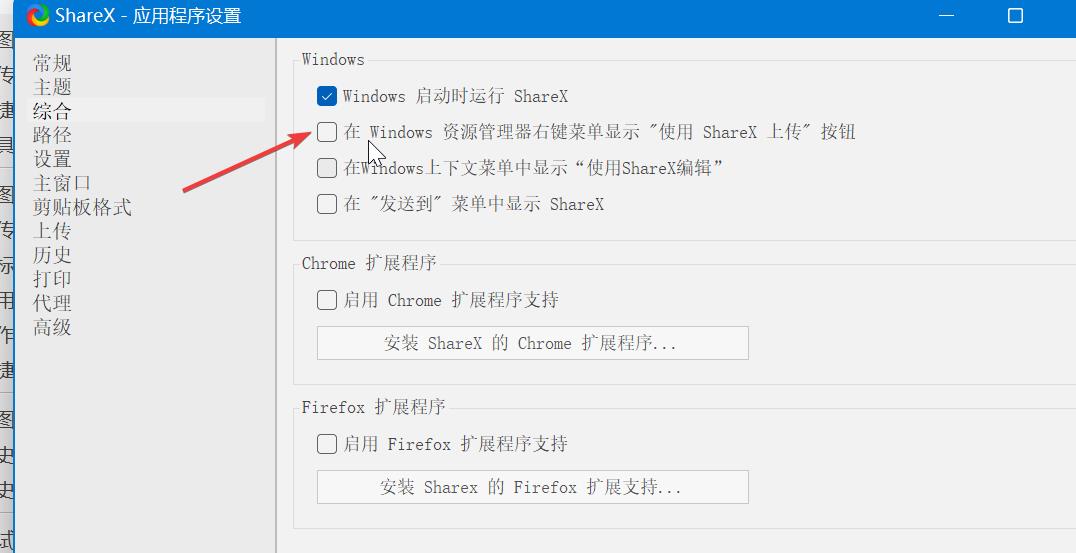
我发现 shareX 操作的时候是不需要 admin 权限的~
热议
2楼 huanx 昨天21:05
都要添加注册表的吧?
3楼 可怕的mjj 昨天21:15
都要添加注册表的吧?
你试一下,不需要admin权限哈
4楼 loveqianool 昨天21:26
https://github.com/ShareX/ShareX/search?q=%22Upload+with+ShareX%22
6楼 zxxx 昨天22:10
7楼 zxxx 昨天23:29
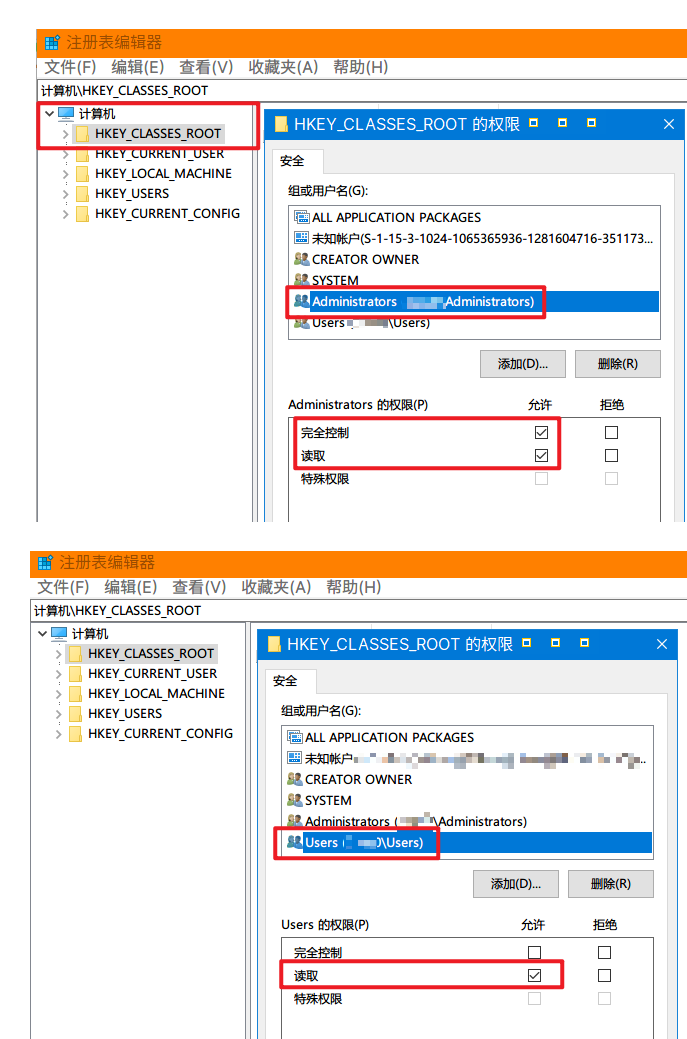
ShareX 添加在【当前用户】所以不需要管理员权限
HKEY_CURRENT_USER\Software\Classes\*\shell\ShareX\command
8楼 zxxx 昨天23:35
Can I add an entry in context menu on windows 7 without admin rights
https://stackoverflow.com/questions/18724084/can-i-add-an-entry-in-context-menu-on-windows-7-without-admin-rights
right click menu modification non-admin
https://superuser.com/questions/617510/right-click-menu-modification-non-admin
The HKEY_CLASSES_ROOT key provides a merged view of
HKEY_LOCAL_MACHINE\Software\Classes and
HKEY_CURRENT_USER\Software\Classes.
So as a standard (non-admin) user you should have access to the latter key.
Setting Context Menu without Admin Privileges on Windows
http://jagtechlinks.blogspot.com/2015/02/setting-context-menu-without-admin.html
If you are like mw, your company doesnt give you admin access to your Windows PC. This prevents you from customizing your PC for productivity.
Two things that I frequently use on Window are shortcuts from teh Windows Explorer menu to
Open my favorite editor - Notepad++ or Sublime Text 3
Open a command prompt at a directory - I use ConEmuYou can typically add these by adding a "command" key under
HKEY_CLASSES_ROOT\*\shell\"My Command Title"\command &
HKEY_CLASSES_ROOT\Dir\shell\"My Command Title"\command respectivelyHowever without admin access you cannot add those keys in the registry
The good thing is that the HKEY_CLASSES_ROOT key provides a merged view of HKEY_LOCAL_MACHINE\Software\Classes and HKEY_CURRENT_USER\Software\Classes. So as a standard (non-admin) user you should have access to the later key.
You can add the commands you need to the following instead
HKEY_CURRENT_USER\Software\Classes\*\shell\"My Command Title"\command &
HKEY_CURRENT_USER\Software\Classes\Dir\shell\"My Command Title"\command respectively
9楼 佳辉的春天 26分钟前
zxxx 发表于 2022-7-10 23:29
ShareX 添加在【当前用户】所以不需要管理员权限HKEY_CURRENT_USER\Software\Classes\*\shell\ShareX\com ...
确实就在那里,感谢大佬
申明:本文内容由网友收集分享,仅供学习参考使用。如文中内容侵犯到您的利益,请在文章下方留言,本站会第一时间进行处理。